Interactive Point Field Widget
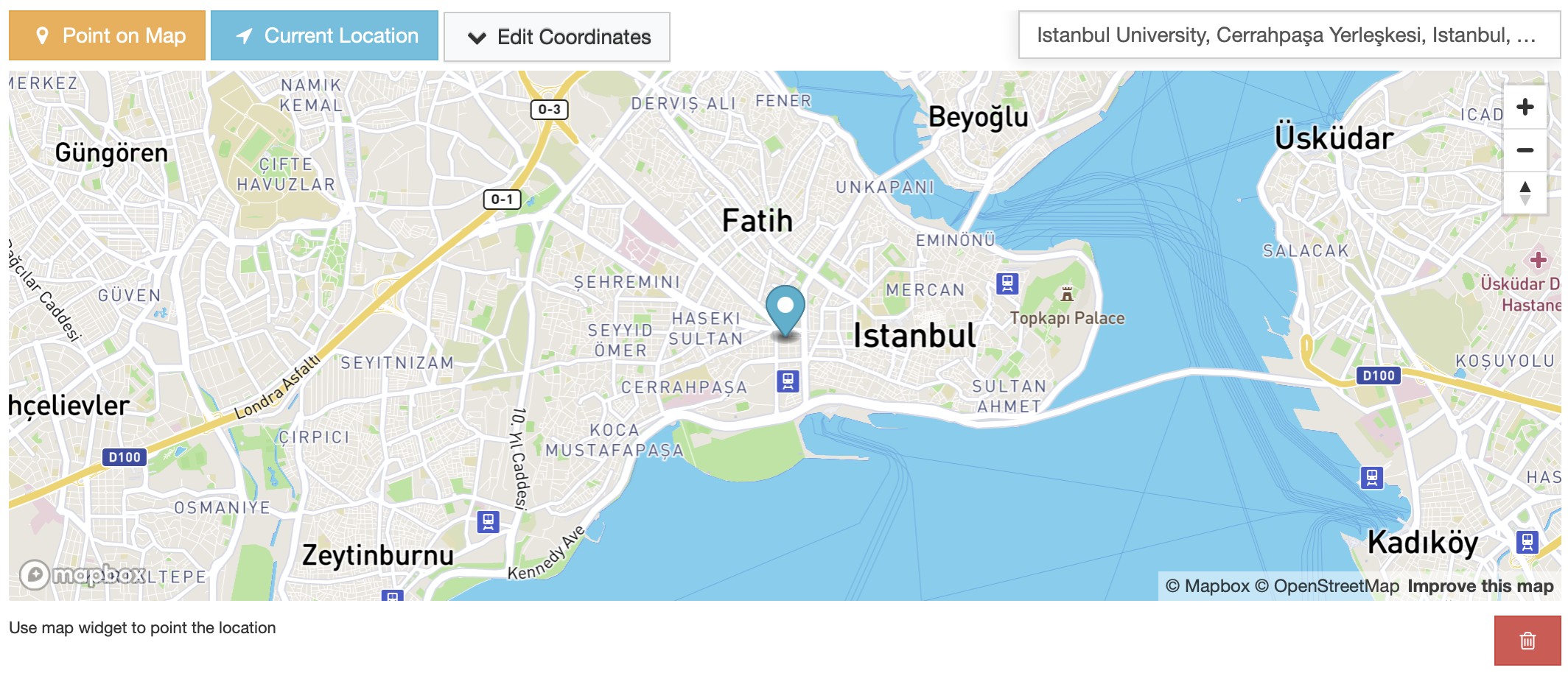
Preview
Requirements
Access Token: A Mapbox access token is required to use this widget. Please follow the instructions on the MapBox Create Access Token page.
Key Features
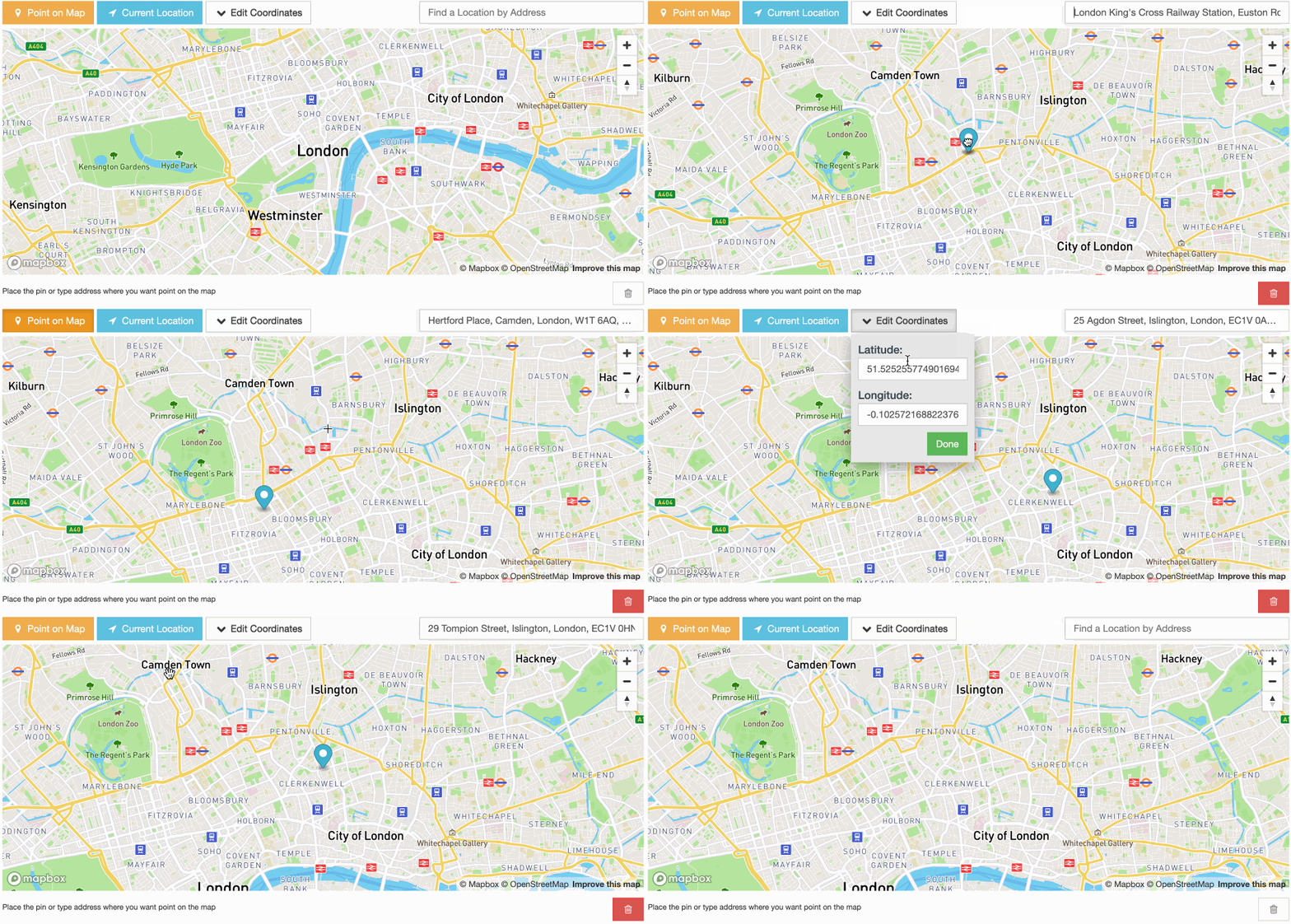
Place Autocomplete (Geocoding): The widget has a built-in Mapbox Geocoder input, allowing users to find and select places, addresses, or points of interest as they type in a search query.
Reverse Geocoding: The place autocomplete input will be populated with a plain address from positioned marker coordinates using the Mapbox Geocoding API.
Use My Location Action: Users can set their current location as a marker using the “Use My Location” action button.
Edit Coordinates Inputs: The marker coordinates (latitude, longitude) can be updated manually through the Coordinates dropdown pop-up inputs.
Draggable Markers: Positioned markers can be dragged across the map, and the coordinates inputs and geocoding data will be updated when the marker is dropped.
Add Marker by Click: A marker can be added to the map via mouse click.
Settings
Default Settings
MAP_WIDGETS = {
 "Mapbox": {
    "accessToken": "",
    "PointField": {
        "interactive": {
            "mapOptions": {
                "zoom": 12,
                "style": "mapbox://styles/mapbox/streets-v11",
                "scrollZoom": False,
                "animate": False,
                "center": get_default_center_coordinates(),
            },
            "geocoderOptions": {},
            "markerFitZoom": 14,
            "showZoomNavigation": True,
        },
    },
}
accessToken: Mapbox Access Token. (required)
mapOptions: Mapbox MapOptions parameters can be managed using this dictionary. These settings are passed as arguments to the Mapbox GL JS map initialization function. Default values are provided for zoom, animate, scrollZoom, style, and center.
geocoderOptions: Mapbox Geocoder option parameters can be managed using this dictionary. Note that, custom options and the widget default options dictionary keys will be merged when the settings loaded. See the full list of geocoder options parameters here.
markerFitZoom: A custom zoom value is set programmatically after a marker is added with user geolocation or place autocomplete. This setting exists to enhance the user experience. The default value is 14.
showZoomNavigation: Enable/Disable zoom in/out UI buttons on the map. Default is
True
Note
More details about map widget settings usage can be found in the settings guide.
Note
If no settings are provided for the map center (mapOptions.center), the map will automatically center based on the django project’s timezone setting. This feature ensures that the map displays an appropriate and relevant initial view.
For more details on timezone center coordinates, refer to the following resources:
Usage
In the Django project settings file, the MAP_WIDGETS dictionary should be defined to customize the default settings for map widgets.
MAP_WIDGETS = {
 "Mapbox": {
    "accessToken": MapBoxAccessToken,
    "PointField": {
        "interactive": {
            "mapOptions": {
                "animate": False,
            },
            "geocoderOptions": {
                "country": "GB"  # Limit results to one or more countries.
            },
        },
    },
}
Django Admin
import mapwidgets


class NeighbourAdmin(admin.ModelAdmin):
    autocomplete_fields = ('neighbour_of_house',)
    formfield_overrides = {
        models.PointField: {"widget": mapwidgets.MapboxPointFieldWidget}
    }
Django Forms
from django.contrib.gis import forms
import mapwidgets


class HouseCreateForm(forms.ModelForm):
    city = forms.PointField(widget=mapwidgets.MapboxPointFieldWidget)

    class Meta:
        model = House
        fields = ( "name", "location", "city")
        widgets = {
            "location": mapwidgets.MapboxPointFieldWidget,
        }
Javascript Triggers
UI customization or event handling on the front-end can be managed using map widget jQuery triggers. Examples of usage can be found in the demo project.
mapboxPointFieldWidget:markerCreate: Triggered when a marker is created on the map. (callback params: place, lat, lng, locationInputElem, mapWrapID)
mapboxPointFieldWidget:markerChange: Triggered when a marker’s position is changed on the map. (callback params: place, lat, lng, locationInputElem, mapWrapID)
mapboxPointFieldWidget:markerDelete: Triggered when a marker is deleted from the map. (callback params: lat, lng, locationInputElem, mapWrapID)
mapboxPointFieldWidget:placeChanged: Triggered when the place in the autocomplete input is changed. (callback params: place, lat, lng, locationInputElem, mapWrapID)
(function ($) {
    $(document).on("mapboxPointFieldWidget:markerCreate", function (e, lat, lng, locationInputElem, mapWrapID) {
        console.log(locationInputElem); // Django widget textarea widget (hidden)
        console.log(lat, lng); // Created marker coordinates
        console.log(mapWrapID); // Map widget wrapper element ID
    });

    $(document).on("mapboxPointFieldWidget:markerChange", function (e, lat, lng, locationInputElem, mapWrapID) {
        console.log(locationInputElem); // Django widget textarea widget (hidden)
        console.log(lat, lng);  // Changed marker coordinates
        console.log(mapWrapID); // Map widget wrapper element ID
    });

    $(document).on("mapboxPointFieldWidget:markerDelete", function (e, lat, lng, locationInputElem, mapWrapID) {
        console.log(locationInputElem); // Django widget textarea widget (hidden)
        console.log(lat, lng);  // Deleted marker coordinates
        console.log(mapWrapID); // Map widget wrapper element ID
    });

    $(document).on("mapboxPointFieldWidget:placeChanged", function (e, place, lat, lng, locationInputElem, mapWrapID) {
        console.log(place); // Mapbox geocoder place object
        console.log(locationInputElem); // Django widget textarea widget (hidden)
        console.log(lat, lng); // Created marker coordinates
        console.log(mapWrapID); // Map widget wrapper element ID
    });
    console.log($("#location-map-elem").data("mwMapObj")); // Mapbox JS object
    console.log($("#location-map-elem").data("mwClassObj")); // The widget class instance object
})(jQuery)