Static Point Field Widget
Preview
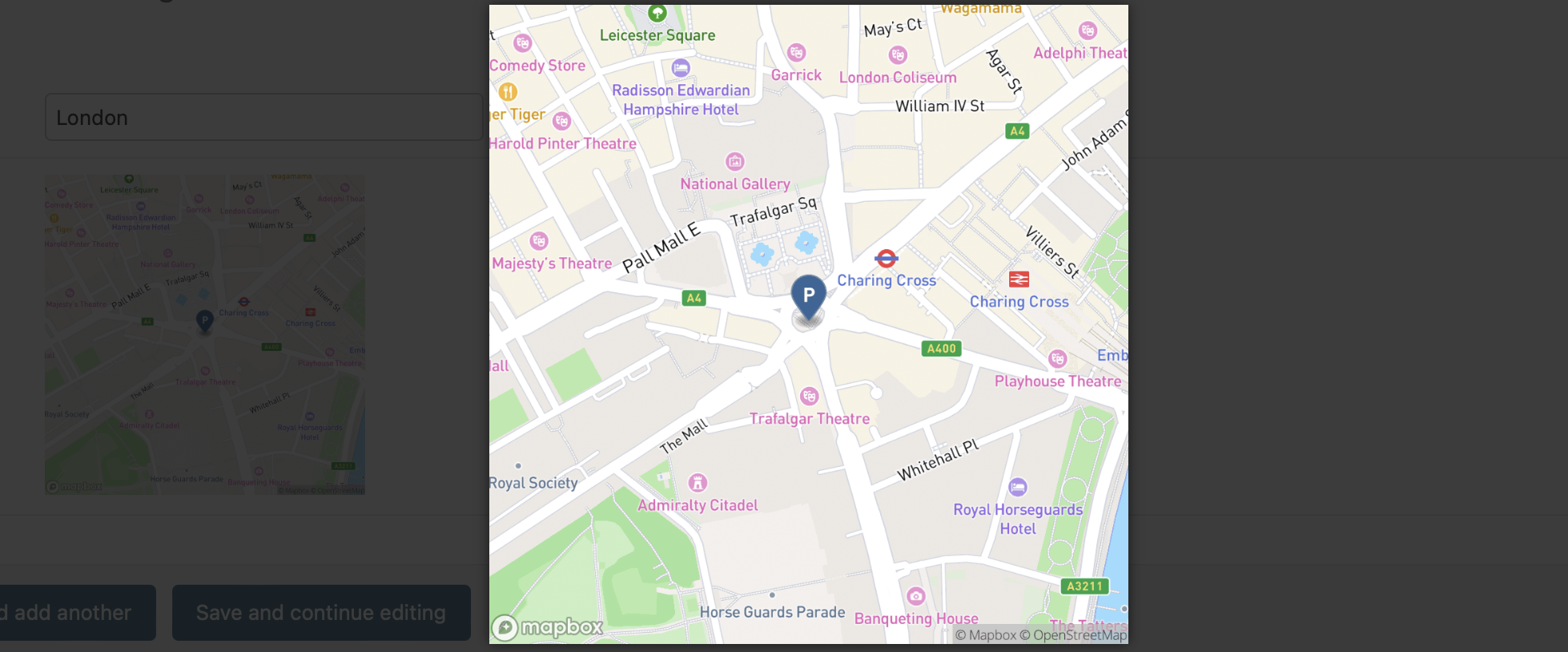
This widget integrates with Django to provide an interface using the Mapbox Static Image API. It automatically generates static map images based on GeoDjango PointField values.
Requirements
Access Token: A Mapbox access token is required to use this widget. Please follow the instructions on the MapBox Create Access Token page.
Key Features
Generate Static Map Image Automatically: The widget can generate a static image URL with the provided GeoDjango PointField value.
MagnificPopup Support: The widget-generated static map image can work with the MagnificPopup jQuery Plugin.
Generate Thumbnail for Better Popup Usage: You can specify a thumbnail size with the thumbnailSize setting for better popup usage. Note that this setting will result in an additional API request, which may incur extra costs.
Settings
Default Settings
MAP_WIDGETS = {
 "Mapbox": {
    "accessToken": "",
    "PointField": {
        "static": {
            "enableMagnificPopup": True,
            "thumbnailSize": None,
            "mapParams": {
                "username": "mapbox",
                "zoom": 15,
                "bearing": 0,
                "pitch": 0,
                "style_id": "streets-v12",
                "@2x": "@2x",
                "width": "480",
                "height": "480",
            },
            "overlayParams": {
                "name": "pin-l",
                "label": "",
                "color": ""
            },
        },
    },
}
accessToken: Mapbox Access Token. (required)
enableMagnificPopup: Enable/Disable MagnificPopup functionality.
thumbnailSize: Specify thumbnail size for better popup usage.(e.g
240x240)mapParams: Static Map Image API MapParams can be managed using this dictionary globally.
overlayParams: The map overlay geojson params can be managed using this dictionary globally.
Note
More details about map widget settings usage can be found in the settings guide.
Usage
In the Django project settings file, the MAP_WIDGETS dictionary should be defined to customize the default settings for map widgets.
MAP_WIDGETS = {
 "Mapbox": {
    "accessToken": MapBoxAccessToken,
    "PointField": {
        "static": {
            "static": {
                "enableMagnificPopup": True,
                "thumbnailSize": "200x200"
            },
        },
    },
}
Django Admin
from mapwidgets import MapboxPointFieldStaticWidget

class CityAdmin(admin.ModelAdmin):
    formfield_overrides = {
        models.PointField: {"widget": MapboxPointFieldStaticWidget}
    }
Django Forms
See the location_has_default field usage to understand how you can override global settings with the settings parameter for a specific widget.
from mapwidgets import MapboxPointFieldStaticWidget

class CityDetailForm(forms.ModelForm):

    class Meta:
        model = City
        fields = ("name", "location", "location_has_default")
        widgets = {
            "location": MapboxPointFieldStaticWidget,
            "location_has_default": MapboxPointFieldStaticWidget(
                settings={"enableMagnificPopup": False}
            ),
        }
See more usage of this widget in demo project.